
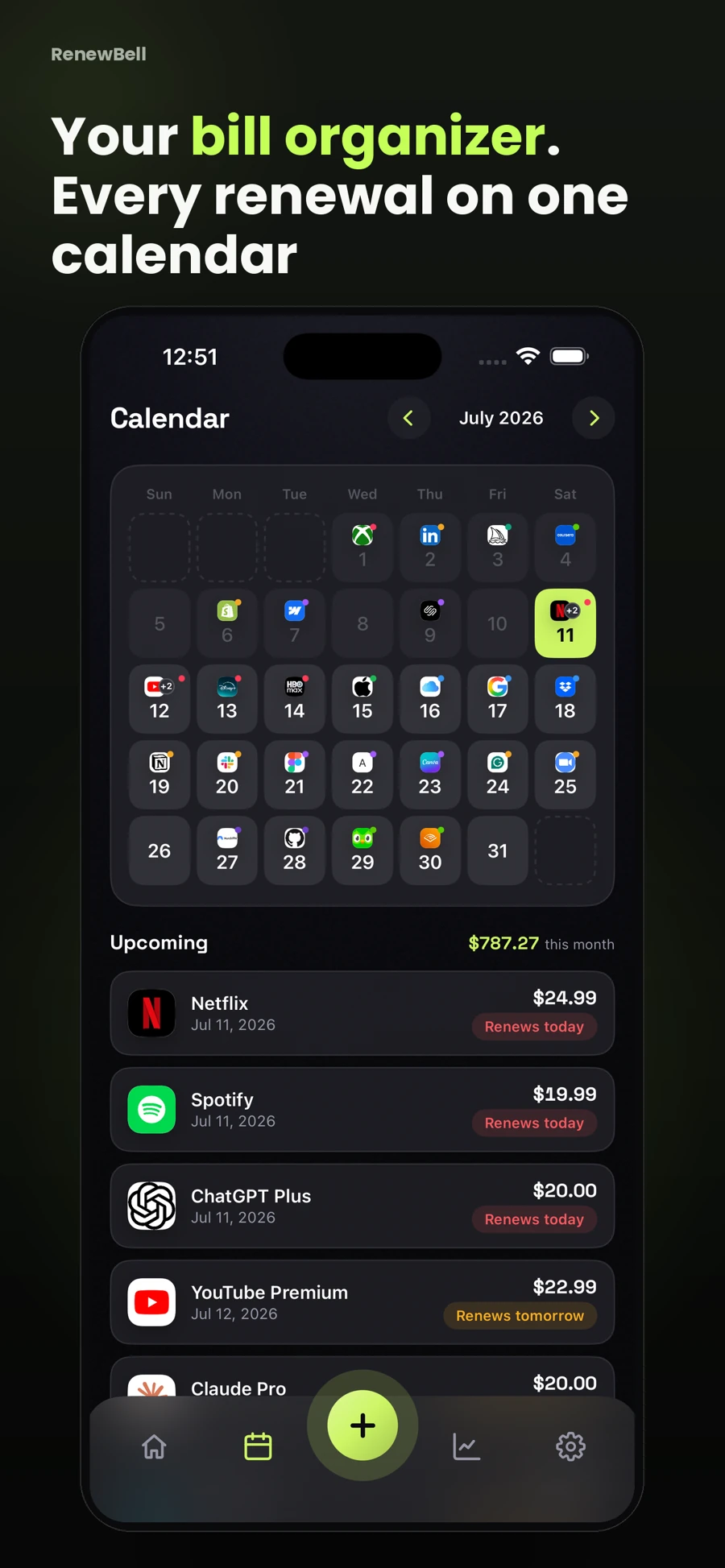
Collect due dates for your monthly bill calendar
Collect current bills, renewal details and payment schedules from the accounts you use. Record the date and what it means: a bill due date, an automatic renewal or an earlier cancellation deadline. Putting all three on a calendar is fine as long as the labels stay clear.
The bill-calendar template is a practical starting point. The CFPB's consumer toolkit also treats a bill calendar as a distinct planning tool alongside spending tracking and cash-flow budgeting. A calendar tells you when; it does not replace every other part of the picture.
Use a label you can recognize quickly
Write a short service name, amount and action. If a bill varies and the new amount has not arrived, label the figure as estimated. If a renewal needs a decision before its charge date, add a clearly named review entry rather than moving the actual payment date.
| Illustrative date | Calendar entry | Meaning |
|---|---|---|
| June 5 | Review annual storage plan | A decision task |
| June 10 | Storage renewal, $96 | Expected annual charge |
| June 14 | Utility bill, amount pending | Due date to verify |
The dates and amount are examples only. Avoid giving every date the same label or color if that makes it harder to distinguish a decision from a payment. Readability is more useful than a complicated category system you stop maintaining.
Notice timing without pretending to know the balance
Several renewals in the same week can be worth reviewing even when the monthly total looks familiar. A calendar makes that grouping visible. It does not tell you whether funds are available, whether a bill has already been paid or whether an automatic payment succeeded.
If you need to plan around incoming money, keep that timing in your own budgeting process. Do not treat a subscription tracker's total as a live account balance. For a clearer cost comparison, the recurring-expense guide separates monthly equivalents from actual payment dates.
Review annual charges before they enter the busy week
An annual plan may deserve an earlier check than a familiar monthly payment. You might need time to compare tiers, export data or confirm who uses the service. Add the decision date as well as the renewal date when those tasks would otherwise be easy to miss.
A trial needs the same care. Its first paid charge, trial end and cancellation deadline are related but may not be interchangeable. Check the offer's current terms and use an earlier review reminder where that gives you room to act.
Keep the calendar current after a change
When a provider confirms a new cycle or due date, replace the old entry. When a cancellation is complete, retain the confirmation and update your list. Deleting a reminder does not cancel a plan, and marking a charge paid in your own notes does not instruct a bank to pay it.
RenewBell's subscription calendar displays the renewal information you record. It works alongside the app's bill tracking; it is not a bill-paying service or automatic paid-status reconciliation.
Finish a short weekly check by looking at what is due soon and what still needs verification. Recheck the next month before it begins. A readable calendar of current dates is a better working tool than a beautifully filled page that no longer matches your bills.
App screens and worked amounts are illustrative. They do not represent current provider prices or verified customer savings.