Set a subscription renewal date
Add the next renewal date and billing cycle for each subscription. Check that date against the actual provider, especially after a paused plan or billing change.
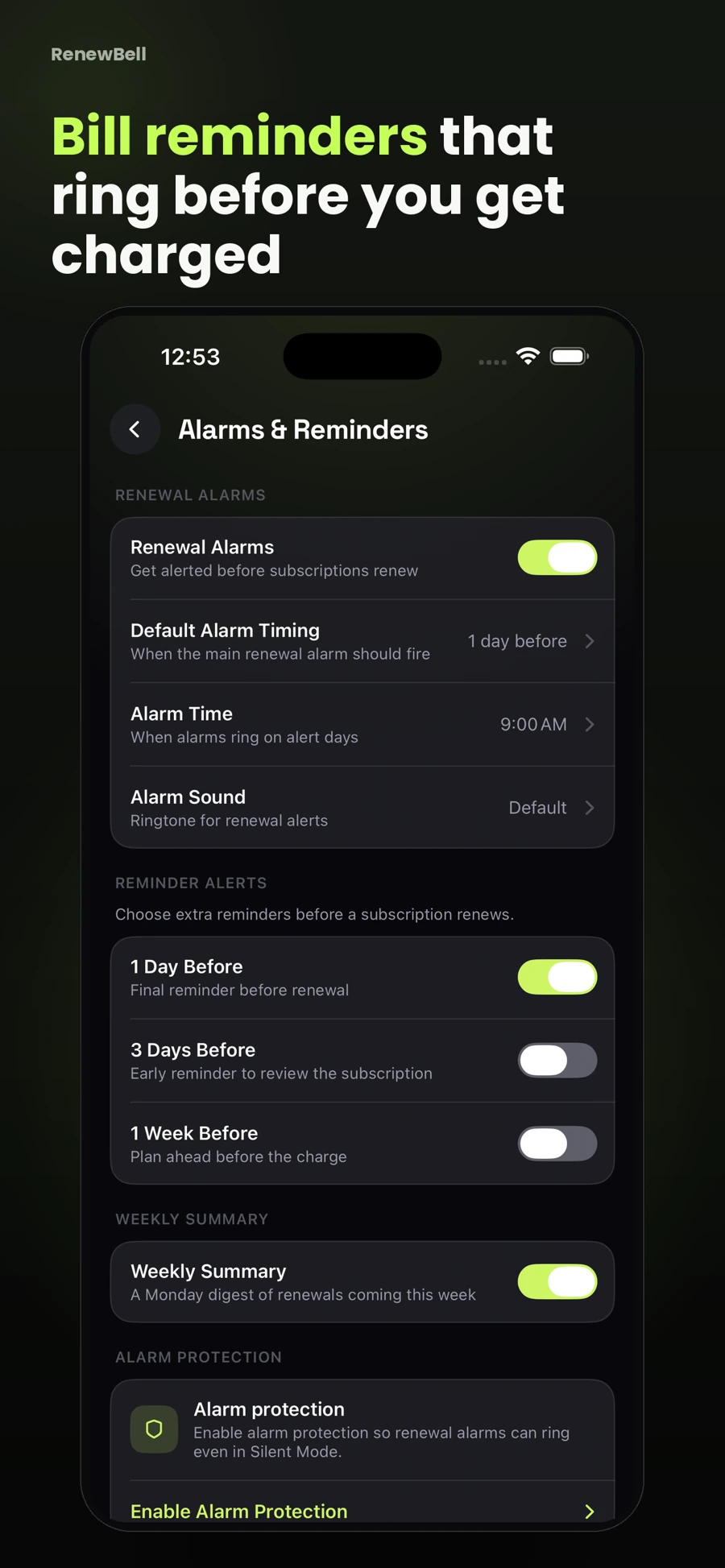
A little notice before a recurring charge can give you time to decide. Keep your renewal dates in RenewBell and choose the reminders that fit your routine.
Download on the App StoreFree download. Optional in-app purchases. iOS 17+.
Add the next renewal date and billing cycle for each subscription. Check that date against the actual provider, especially after a paused plan or billing change.
Use reminder settings that allow time to visit the provider and make a decision. A last-minute alarm is not a substitute for checking the provider’s cancellation deadline.
Basic reminders use local notifications. Advanced Pro alarms use AlarmKit on iOS 26+, with notification fallback on earlier supported iOS versions. Permissions and device settings matter.
RenewBell tracks and reminds. Cancel unwanted subscriptions through the merchant or billing platform, then update your record in the app. An app entry cannot cancel a charge.
Advanced renewal alarms are a Pro feature. iOS 26+ and alarm permission are required for AlarmKit behavior. Notifications are used on earlier supported systems.
App screenshots contain illustrative values and do not show current merchant pricing or verified customer results.
Keep your subscriptions in view, with reminders before the next charge.
Download on the App StoreFree to download · Optional in-app purchases · iOS 17+ Catch the
Continue with the task that matters next, from a practical guide to a relevant app feature or free resource.