Export recorded subscription spending
The supplied release materials describe PDF and CSV spending reports. Review the report and date before using it to make a plan or sending it to someone else.
Take the subscription list out of the dashboard when you want a closer look. Pro exports provide a record you can review or share deliberately.
Download on the App StoreFree download. Optional in-app purchases. iOS 17+.
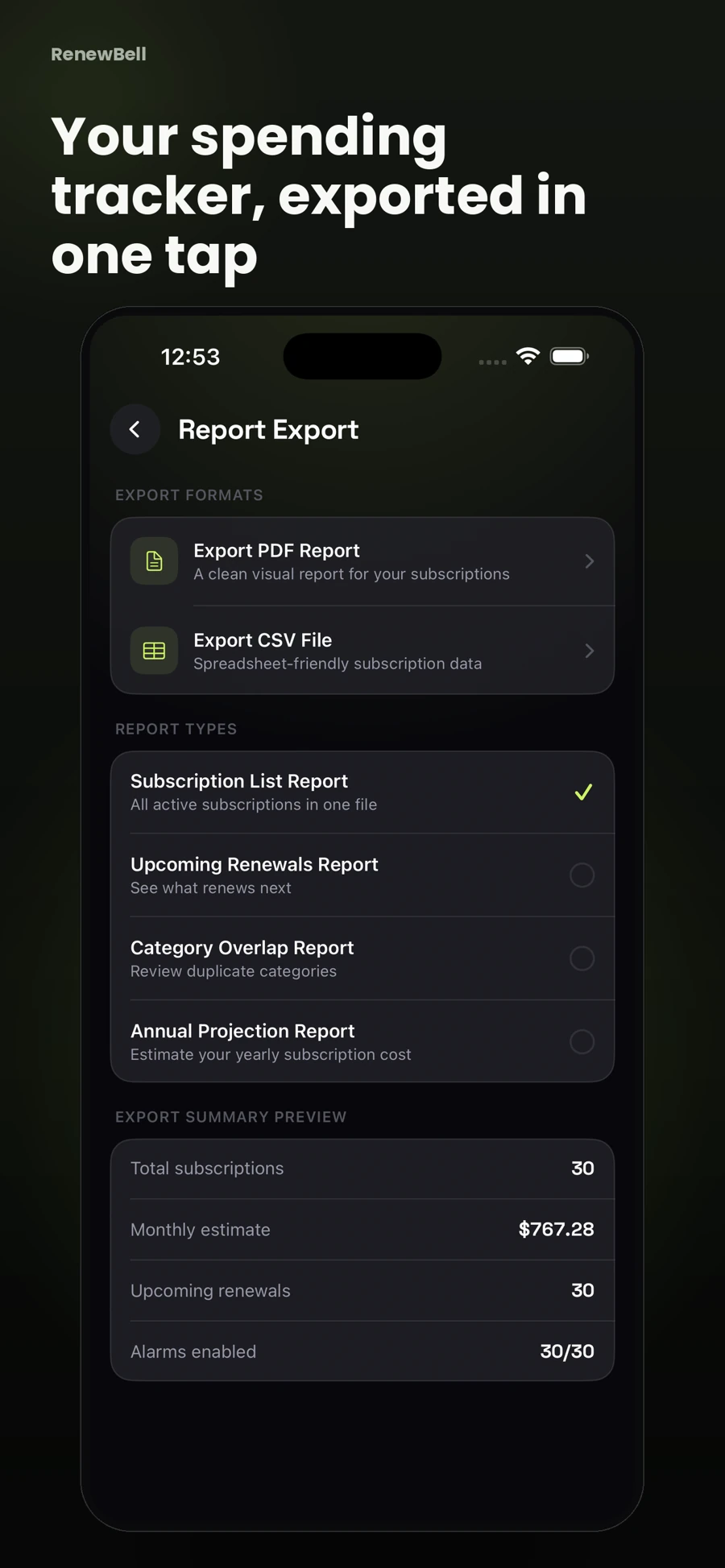
The supplied release materials describe PDF and CSV spending reports. Review the report and date before using it to make a plan or sending it to someone else.
A PDF is convenient for reading and printing. CSV is useful for working with rows in spreadsheet software. Check imported date and currency formats after opening a CSV.
Reports can contain service names, costs and dates. Share only with the people who need the information and keep downloaded files somewhere appropriate.
A report reflects app records, not a bank statement, a tax document, an audited account or proof that a merchant collected a payment.
PDF and CSV app exports are Pro features. The free website templates are separate downloads and do not synchronize with the app.
App screenshots contain illustrative values and do not show current merchant pricing or verified customer results.
Keep your subscriptions in view, with reminders before the next charge.
Download on the App StoreFree to download · Optional in-app purchases · iOS 17+ Catch the
Continue with the task that matters next, from a practical guide to a relevant app feature or free resource.