Compare monthly and yearly subscription costs
A yearly plan and a monthly plan should not be compared by sticker price alone. Monthly and yearly views help you understand their equivalent recurring cost.
Different billing cycles make small costs hard to compare. Bring recorded subscriptions into a monthly and yearly view.
Download on the App StoreFree download. Optional in-app purchases. iOS 17+.
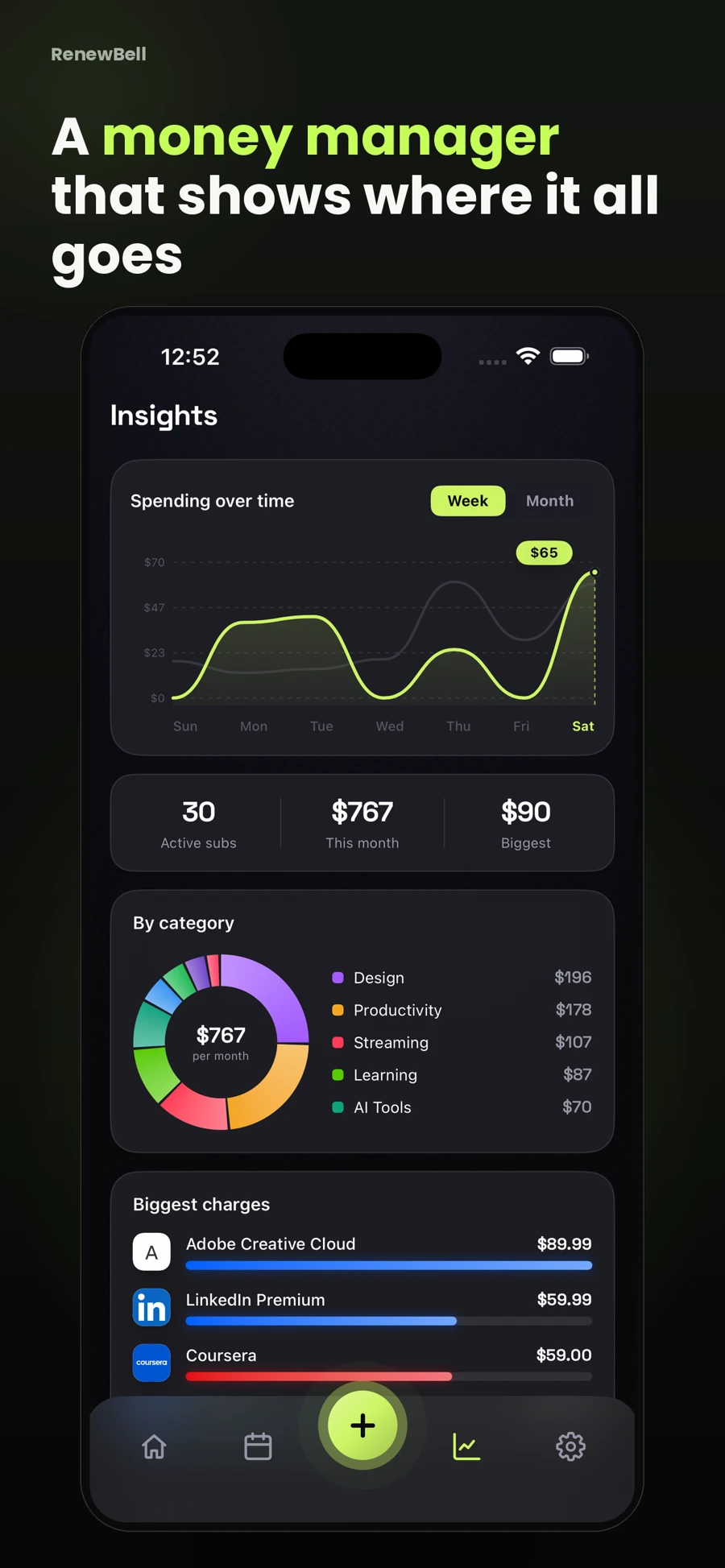
A yearly plan and a monthly plan should not be compared by sticker price alone. Monthly and yearly views help you understand their equivalent recurring cost.
Multiple streaming or fitness plans may be intentional. Category overlap is a question to consider, not proof that a service is wasteful or unused.
The app’s picture is based on the amounts and cycles in your records. It does not verify transactions, account balances or whether you watched a service this month.
The free website calculator works without an app account. Enter amounts in one currency and compare billing cycles before deciding what you want to track.
Full app insights are Pro features. Monthly equivalents are comparison averages, not a forecast of the exact cash leaving your account in a given month.
App screenshots contain illustrative values and do not show current merchant pricing or verified customer results.
Keep your subscriptions in view, with reminders before the next charge.
Download on the App StoreFree to download · Optional in-app purchases · iOS 17+ Catch the
Continue with the task that matters next, from a practical guide to a relevant app feature or free resource.