
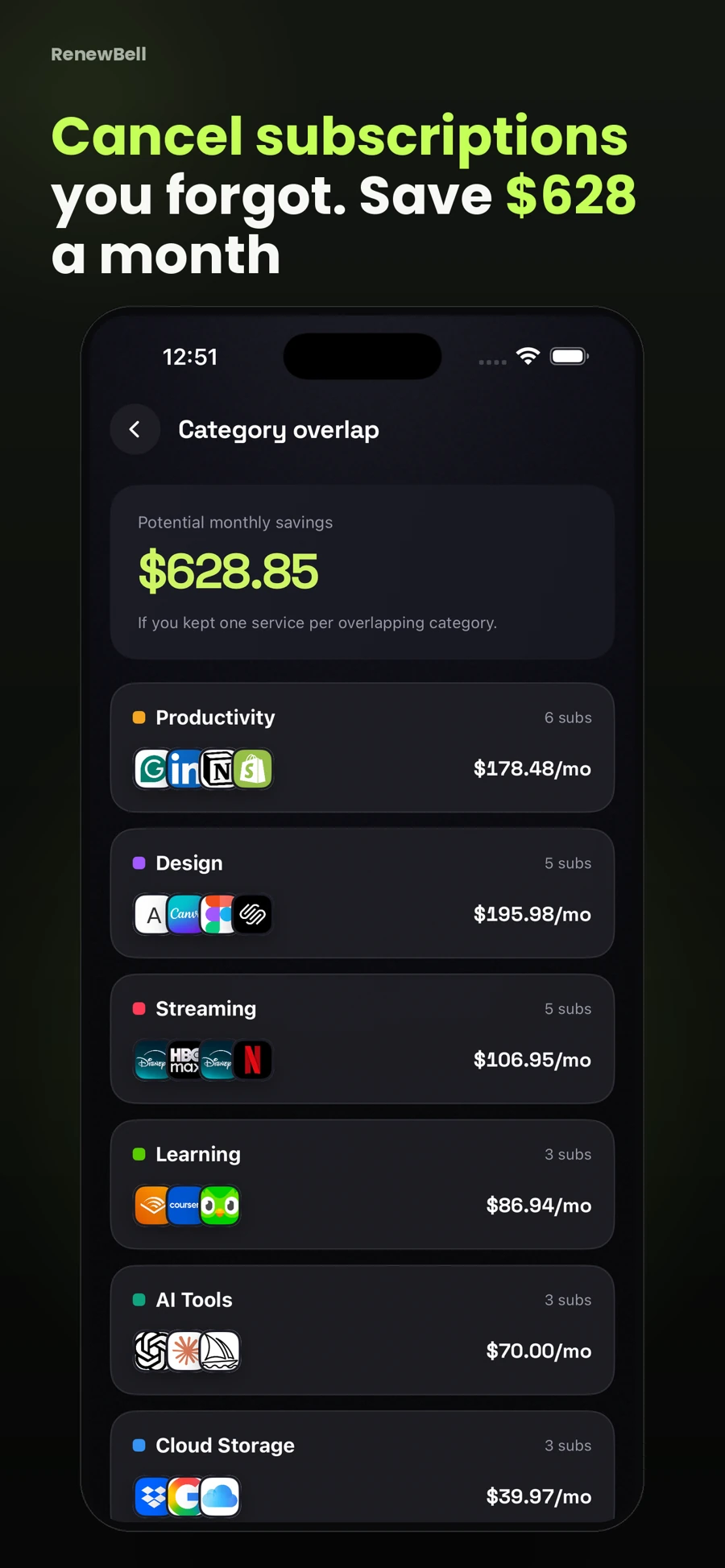
Group overlapping subscriptions by what they do
Instead of comparing logos, label the purpose: music, video, storage, learning, work software or another category that makes sense to you. A general label is enough to reveal where you pay for several similar options. Avoid spending more time perfecting categories than reviewing the records themselves.
RenewBell's dashboard can highlight category overlap based on your recorded subscriptions. Treat it as a prompt to investigate. It cannot know whether a particular plan contains a feature you need or whether another household member uses it.
Check whether the records are duplicates
The same provider can appear twice for a valid reason. You may have separate accounts, a personal and a work plan, or a recent change that has not been reflected in your tracker. Confirm the account and current billing before treating two rows as two unwanted charges.
Equally, two differently named entries may refer to the same service if one was created from a receipt and the other added manually. Verify which agreement each row represents. Remove a duplicate tracking row only after checking that you are not hiding a real second subscription.
Compare use, not only cost
For a simple review, write the specific reason you keep each service. “Used for course files,” “shared household video plan” or “needed for a current project” is more useful than “seems good.” A plan you rarely open can still matter, but the reason should be clear to you.
| Illustrative category | What overlap might mean | Useful question |
|---|---|---|
| Two storage plans | Different files or duplicate backups | What would need moving before a change? |
| Three video plans | Different programs or household needs | Which ones are useful this month? |
| Two work tools | Shared feature, different workflows | Would switching interrupt a project? |
These are review prompts, not recommendations to cancel essential storage, work access or household services. Check current terms and any export or retention requirements before making a change.
Calculate the actual change you are considering
Suppose two fictional monthly services cost $11 and $14. Together they cost $25 monthly, or $300 over 12 unchanged payments. Cancelling the $11 plan would reduce future unchanged payments by $132 a year. That is a projected comparison, not money already returned to your account.
Use the subscription-cost calculator to compare the relevant plans. Include billing cycles and currencies correctly. A yearly commitment with limited cancellation options cannot be treated as though every remaining month can simply be recovered.
Make the change at the provider
If you choose to cancel or downgrade, use the correct billing account. Check whether a change affects access immediately or at the next renewal. Save confirmation before updating the record. Marking something cancelled in a tracker does not cancel the merchant agreement.
RenewBell's savings tracker can show projected annual savings from recorded cancellations. Keep that figure distinct from refunds received or verified changes to your bank balance.
Keep a reason for the next review
After deciding, note why the plan stayed or changed. That context helps when the same category appears again next month. Return to the weekly review routine for nearby renewals instead of repeatedly re-auditing the same settled decision.
App screens and worked amounts are illustrative. They do not represent current provider prices or verified customer savings.